

Antenna Placement Electromagnetics Engineer (APL)
Enable antenna system integrators and simulation specialists to collaborate on assessment and validation of installed antenna performance.
- On-premises
- On-cloud

What does APL do?
The Antenna Placement Electromagnetics Engineer role allows you to:
- 1Validate the best antenna location early in the design process, without having to test a physical prototype.
- 2Assess trade-offs for antenna placement based on predefined KPIs and requirements on web-based applications.
- 3Get real-time feedback to reduce antenna placement studies from weeks down to one day.
- 4Leverage SIMULIA CST Studio Suite technology to validate antenna installed performance. CST Studio Suite is a prerequisite role.
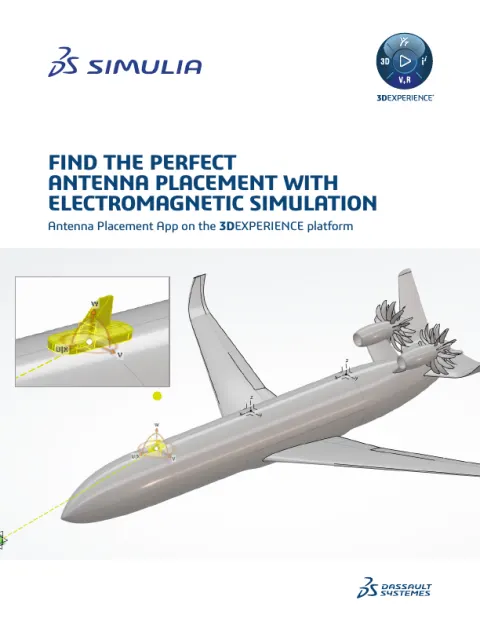 DatasheetAntenna Placement Electromagnetics Engineer (APL) datasheetPDF, 6 pages, 3.2 MB Download the datasheet
Apps included
 Import XPDMXML without Geometrical Conversion3DEXPERIENCE Open
Compare to other Electromagnetic Simulation roles
A dot marks each app a role includes.
| App | EMLElectromechanical Analysis Engineer | APLAntenna Placement Electromagnetics Engineer |
|---|---|---|
| Number of apps | 28 | 42 |
| Import XPDMXML without Geometrical Conversion | ||
How is the APL role used in industry?
7 processes in 6 industries list this role. Open one to see it in place.
 Aerospace & Defense
 Infrastructure, Energy & Materials
 Marine & Offshore
 Transportation & Mobility
 Industrial Equipment
 Cities & Public Services
From desktop to platform


The All Physics Analyst role connects SIMULIA standalone products (Abaqus, CST Studio Suite, PowerFLOW, Simpack, Wave6, and XFlow) to the 3DEXPERIENCE® platform.
Related courses and recordings
Training courses and webinar recordings for Antenna Placement Electromagnetics Engineer (APL).
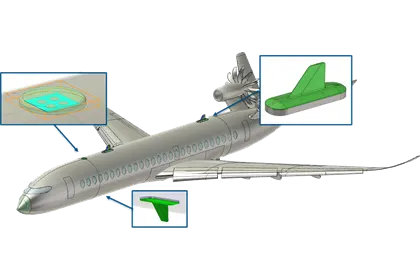
Perform as an Antenna Placement Electromagnetics Engineer
Using the Antenna Placement Electromagnetics Engineer role you can: • Validate the best antenna location early in the design process,…
Connector for Simpack Essentials
This course is an introduction to the interactive connector between Simpack and the 3DEXPERIENCE® platform.
Performance Trade-off Essentials
This course is an introduction to the dashboard app in the 3DEXPERIENCE® platform that allows decision makers to select the best option…

Physics Simulation Review Essentials
This course teaches you how to view lightweight simulation data with the Physics Simulation Review widget in the 3DEXPERIENCE® platform…
Abaqus Study Essentials
This course is an introduction to running Abaqus simulations with the Abaqus Study app on the 3DEXPERIENCE® platform. The app can be used to…
