Process Engineering
Transform the engineering definition of a product into the MBOM, the process plans and the work instructions the shop floor reads, and validate the build-up in 3D.

One plan
Design, validate & document your processes
The MBOM, built from the engineering bill of materials
The initial MBOM is generated automatically from the EBOM, then defined, compared and updated against it. Make or buy parts, manufacturing assemblies and kits are added where manufacturing needs them.
When the design changes
Digital continuity from engineering to manufacturing
Every manufacturing item and every operation holds a link to the part of the product it refers to. A design engineering change is propagated through the associated MBOMs and process plans, with integrated engineering change management and impact analysis.
- 01Engineering changesThe change reaches the MBOM, the process plans and the work instructions built on it.
- 02VariantsMultiple variants are planned efficiently in the same line or in different lines.
- 03PlantsA plant-specific MBOM is defined from a central one, so each production site produces the product its own way.
On the shop floor
3D work instructions
Each operation is detailed with work instructions that include text, alerts, sign offs, data collects and 2D or 3D views, generated from the assembly plan. Released for execution, they reach the operator in DELMIA Apriso as electronic and 3D work instructions that always show the current version of the process and the product design.
- 01Built on the 3D modelDesign 3D data, xCAD included, is reused to create the instructions.
- 02A shorter learning curveWorkers learn a complex assembly from 3D work instructions and build it right the first time.
- 03Configured for variantsConfigured work instructions support product and process variants, and best practices are stored in a catalog for other authors.
What you buy
3DEXPERIENCE platform roles
A role gives one user the apps for their job. 22 roles cover process engineering on the 3DEXPERIENCE platform.
What would you like to define in DELMIA?
How will your team work?
Pick one to explore more.
MBOM, routings & operations
Work instructions
Process simulation
Industry specific
Which role fits your team? .
Frequently asked questions
We already have an engineering BOM. Why keep a manufacturing BOM as well?
The two answer different questions. The engineering BOM is how the product was designed, and the manufacturing BOM is what has to be made, bought and assembled, plant by plant.
Our planning lives in Excel and the ERP. What changes?
The plan is built on the 3D product. Dassault Systèmes name the usual alternative as manual entries in the ERP system, Excel files or internal development, and each of those is updated by hand when the design changes.
Do we need CATIA for the design data?
Any CAD system will do. Dassault Systèmes state that the DELMIA solutions work with any kind of CAD as input, using converters, xCAD or POWER’BY. Reusing design xCAD 3D data to create work instructions is among the differentiators they list for Process Engineering.
What happens to the process plan when the design changes?
The change is carried to everything built on it.
How does the plan reach ERP and the shop floor?
It is released from the platform. The MBOM goes to ERP, or any other external system, for procurement and supplier exchanges. Process plans go to scheduling and execution, and work instructions go to the shop floor.
Training on DELMIA Process Engineering
All DELMIA courses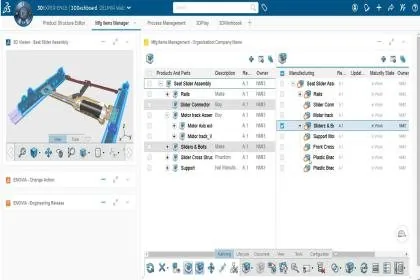
Explore the Manufacturing Items Engineer Role
This learning module provides you a guided and systematic approach to learn about the functionalities available in the Manufacturing Items…

Explore the Manufacturing Engineer Role
This module will teach you how to define and manage the manufacturing item structure, routings and capable resource structure using DELMIA…
Explore the Process Engineer Role for Complex Assembly
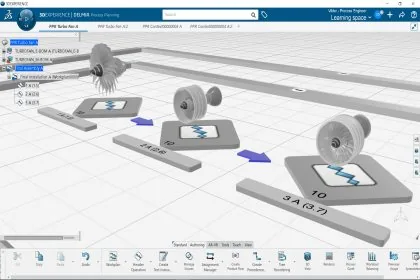
In this module, you will learn to create and manage the complete process planning from EBOM to resource allocation of a product in 3D…
Explore the Work Instructions Author Role
The DELMIA Work Instructions app provides a 3D immersive environment that allows us to detail and document any process, from simple…