
CATIADesign and Engineering
Electrical Harness Flattening
This course will teach you how to use the Electrical Harness Flattening workbench to extract, flatten and synchronize an electrical / geometrical harness. You will learn how to manipulate the flattened harness and how to define and generate a harness flattening report. You will also learn how to use text templates to create an annotated and dimensioned 2D drawing of a 3D harness.
- Level
- Fundamental
- Length
- 5 hours 45 minutes
- Product
- CATIA V5
- Delivery
- Instructor-led or eLearning
What you will learn
- Extract, flatten and synchronize electrical and geometrical harnesses
- Modify the bundle segments of a harness to fit your drawing
- Define and generate reports
- Create 2D drawings of a 3D harness
- Create and use a Text Templates Catalog
Topics covered
- Introduction to Electrical Harness Flattening10 min
- Defining the Harness Flattening Parameters25 min
- Extracting and Manipulating the Harness30 min
- Synchronizing a Flattened Harness20 min
- Generating Reports10 min
- Mapping the Flattened Harness Views20 min
- Creating Harness Drawings20 min
- Creating Text Template Catalogs10 min
- Replacing Graphic Representations15 min
- Generating Annotations Automatically5 min
- Exercises: Electrical Harness Flattening3 hour
- Summary: Electrical Harness Flattening-
- Assessment: Electrical Harness Flattening-
Who it is for
Electrical Designers
Prerequisites
Learners attending this course should be familiar with the CATIA V5 Catalog Editor, Electrical Harness Installation and Assembly, and Wire Routing.
Software: Mechanical Design 2, Electrical Harness Flattening 2
Related courses
CATIACATIA V5Fundamental
Electrical Wire Routing
2 hours 50 minutesView course

CATIACATIA V5Fundamental
Product Knowledge Template
8 hoursView course

CATIACATIA V5Fundamental
Electrical 3D Design and Documentation
8 hoursView course
CATIACATIA V5Fundamental
Electrical Librarian and Harness Installation
16 hoursView course
CATIACATIA V5Fundamental
CATIA Tools For Proficient Users
8 hours 15 minutesView course
CATIACATIA V5Fundamental
CATIA V5 for Electrical Designers
46 hoursView course
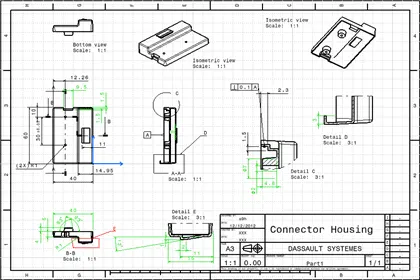
CATIACATIA V5Fundamental
CATIA Generative Drafting Fundamentals (ISO)
8 hours 20 minutesView course
CATIACATIA V5Fundamental
Generative Dynamic Response Analysis
3 hoursView course