
CATIADesign and Engineering
Practice CATIA Natural Assembly
In this module, you will learn how to create and manage product structures. You will explore a product and modify its structure by adding new products and exploding existing products. You will then scan the structure to activate a working product level, search for and add existing parts and use constraints to position the parts. You will also create a new sub-product from a components list and use it to complete the product.
- Level
- Fundamental
- Length
- 4 hours
- Product
- 3DEXPERIENCE Platform
- Delivery
- Instructor-led or eLearning
What you will learn
- Explore a product and modify its structure using Natural Assembly
- Select the product levels using the Ladder functionality
- Search for a product and insert it in an existing assembly
- Position the parts using constraints
- Create a new sub-product from a component’s list and use it to complete the product
Topics covered
- Getting Started with the Natural Assembly App30 min
- Creating a New Product40 min
- Exploring the Product Structure20 min
- Modifying the Product Structure30 min
- Inserting New Parts30 min
- Positioning the Parts1 hour
- Master Exercise: Complete the Loudspeaker Product30 min
- Summary: Practice CATIA Natural Assembly-
- Assessment: Practice CATIA Natural Assembly Essentials-
Who it is for
Mechanical Engineers and Designers, and Design Architects
Prerequisites
Learners attending this learning module should have completed the Explore the 3DSwymer Role module.
Software: 3DSwymer (IFW-OC), Collaborative Industry Innovator(CSV-OC) and Mechanical Designer(MDG-OC).
Related courses

3DEXPERIENCE3DEXPERIENCE PlatformFundamental
Explore the 3DSwymer Role
1 hour 50 minutesView course
CATIA3DEXPERIENCE PlatformFundamental
Practice CATIA Natural Shape
7 hours 5 minutesView course
CATIA3DEXPERIENCE PlatformFundamental
Practice CATIA Weld Design
3 hours 45 minutesView course

CATIA3DEXPERIENCE PlatformFundamental
Practice CATIA 3D Printing Preparation
1 hours 55 minutesView course
CATIA3DEXPERIENCE PlatformFundamental
Practice CATIA 2D Layout for 3D Design
8 hoursView course
CATIA3DEXPERIENCE PlatformFundamental
Practice CATIA Natural Sketch
7 hoursView course
CATIA3DEXPERIENCE PlatformFundamental
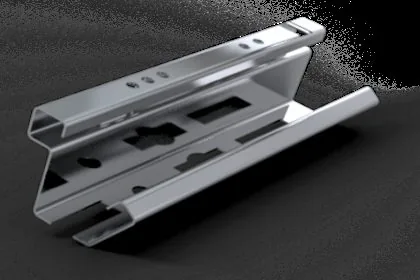
Practice CATIA Bent Part Design
6 hoursView course

CATIA3DEXPERIENCE PlatformFundamental
Practice CATIA Live Rendering
8 hoursView course